
Go Game Deposit Guide Pakistan – Add Money Safely 2026
Go Game Deposit helps users add money to their game account. Before making a deposit, check the payment methods and follow the instructions shown on the platform.
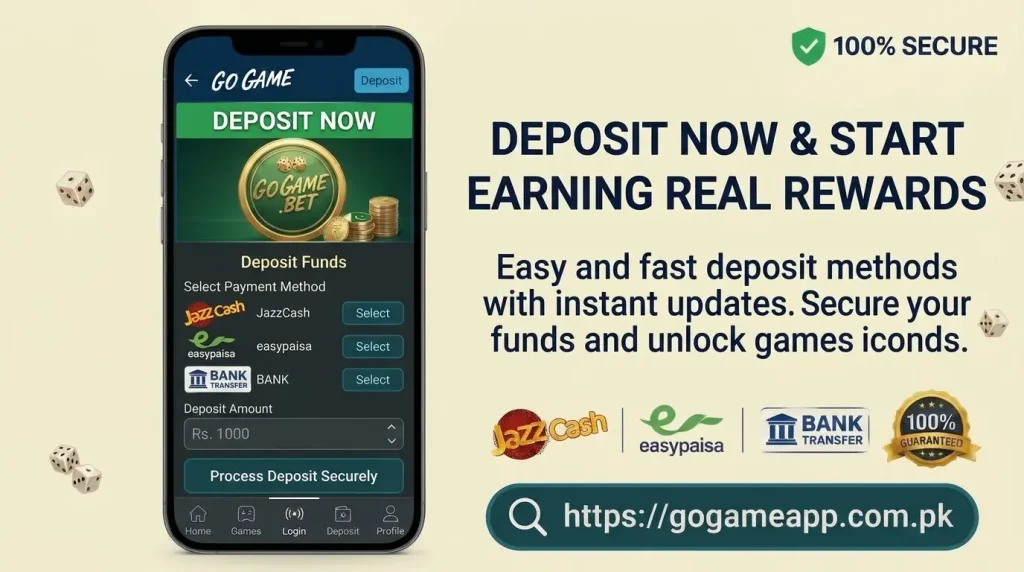
Always check the receiver details before sending money. A small mistake can cause payment delays or other problems.
How to Deposit Money in Go Game
Follow these simple steps to add money to your Go Game wallet.
Open Go Game
Visit the correct Go Game website or open its app. Do not use links or APK files shared by unknown people.
Log In to Your Account
Enter your registered details to access your account. New users need to register before using the deposit option.
Keep your password and OTP private. Never share them with anyone.
Open the Deposit Page
After logging in, go to the Wallet section. Tap Deposit, Recharge, or Add Money to see the available payment options.
Select a Payment Method
Choose a payment method shown on the screen. Available options may include:
- JazzCash
- Easypaisa
- Bank transfer
- Other listed methods
Use only the payment details shown in your current account.
Enter the Amount
Type the amount you want to deposit. Check the minimum deposit limit before moving forward.
If you are using Go Game for the first time, start with a small amount. Never deposit money you need for daily expenses.
Send the Payment
Open your selected payment app and enter the receiver details.
Before sending money, check the account number, account name, and amount. Once the payment is complete, save the receipt or transaction ID.
Submit Payment Details
Return to the Go Game deposit page. If required, enter your payment information.
You may need to provide:
- Sender mobile number
- Deposit amount
- Transaction ID
- Payment receipt
Check all details before submitting.
Check Your Wallet
Open your wallet and see if the balance has been added. Some payments may take extra time to appear.
If your money is sent but the balance is missing, contact official support and share your transaction ID.
Benefits of Adding Money to Your Wallet
A wallet balance may be needed to play some games or use certain features. You may also see bonus offers on the deposit page.
Read the bonus rules before accepting an offer. Some bonuses have conditions that must be completed before withdrawal.
Important Deposit Safety Tips
Keep these simple safety points in mind:
- Check payment details before sending money.
- Use the latest receiver information.
- Save your payment receipt.
- Never share your OTP or wallet PIN.
- Do not send money to unknown agents.
- Avoid paying twice for one pending request.
- Set a limit for your spending.
Common Go Game Deposit Problems
Deposit Is Pending
Wait for the payment to process. If it takes too long, contact support with your transaction ID.
Money Is Sent but Not Added
Check your payment receipt and receiver details. Then contact official support for help.
Wrong Amount Is Sent
Do not send another payment right away. Save your receipt and explain the problem to support.
Payment Details Have Changed
Always check the latest details on the deposit page. Do not use an old screenshot or a number sent by an unknown person.
Conclusion
Go Game Deposit is simple when you follow the correct steps. Log in, open the deposit page, select a payment method, enter the amount, and complete the payment.
Save your receipt until the money appears in your wallet. If you face a problem, contact official support. Never share your password, OTP, or wallet PIN.
Frequently Asked Questions
What Is the Minimum Go Game Deposit?
Check the deposit page for the current minimum amount. It may depend on the payment method.
Does Go Game Support JazzCash and Easypaisa?
Check the payment options in your account to see which methods are available.
How Long Does a Go Game Deposit Take?
The time can depend on the payment method. If your balance does not update, check the transaction and contact support.
What Should I Do if My Deposit Is Missing?
Keep your payment receipt and transaction ID. Contact official support and explain the issue.