
Go Game Withdraw Guide 2026: Safety, Delays & Account Checks
Go Game Withdraw is an important topic for users who want to understand payment requests, account verification, pending transactions, and possible withdrawal delays. Before requesting a payout, it is useful to review your account details and understand the platform’s current withdrawal rules.
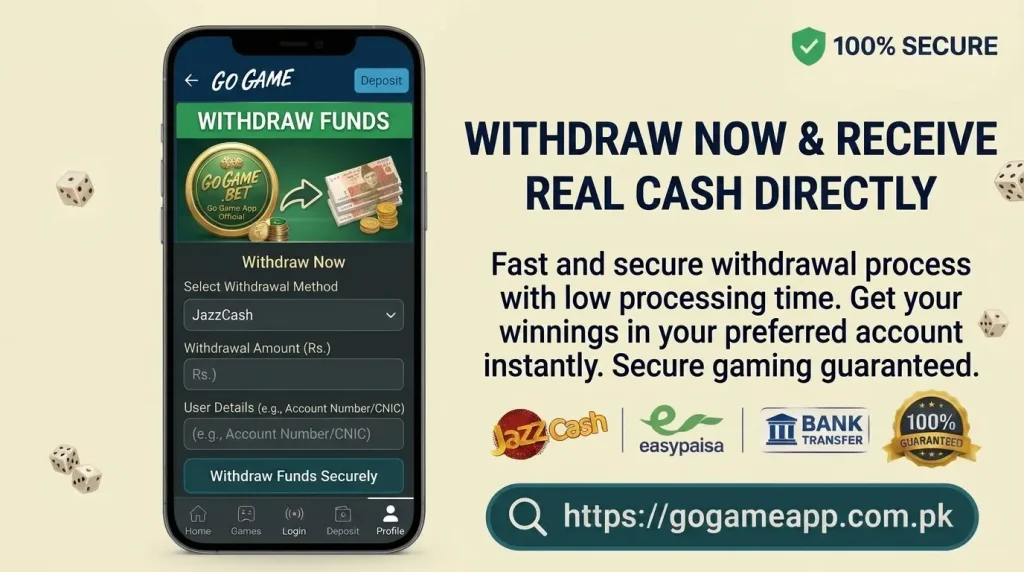
Payment conditions can change, so always rely on the information displayed in your Go Game account rather than old screenshots or unofficial messages.
What to Check Before Requesting a Withdrawal
Before submitting a Go Game withdrawal request, review these details:
- Available wallet balance
- Minimum withdrawal amount
- Account verification status
- Selected payment method
- Receiver account information
- Any bonus-related conditions
Make sure your payment details are correct. Incorrect information can cause delays or failed transactions.
Why Account Verification May Be Required
Online platforms may ask users to verify their accounts before processing withdrawals. This can involve confirming a registered mobile number, identity details, or payment information.
Verification helps protect accounts from unauthorized access and payment requests. Only submit personal information through the platform’s official process.
Never share your password, OTP, JazzCash MPIN, or Easypaisa PIN with anyone claiming to be support staff.
Understanding Withdrawal Status
A withdrawal request may show different statuses while it is being handled.
Pending
The request has been submitted but has not yet been completed.
Processing
The transaction may be under review or being handled by the payment provider.
Completed
The platform has marked the request as processed. Check your receiving wallet or bank account to confirm the funds arrived.
Failed or Rejected
The request was not completed. Review the payment details and any reason displayed in your account.
If a status does not make sense, save a screenshot before contacting official support.
Common Reasons for Withdrawal Delays
A delayed payment can happen for different reasons, including:
- Incorrect payment account details
- Incomplete account verification
- Payment provider or network issues
- Account security review
- Unmet bonus conditions
- Temporary technical problems
- Duplicate withdrawal requests
Avoid submitting the same request repeatedly while the original one is still pending.
Keep a Record of Your Transactions
Transaction records can help when a payment issue occurs. Save the following information for each withdrawal:
- Request date and amount
- Transaction reference number
- Selected payment method
- Current withdrawal status
- Relevant support messages
Keep screenshots until the transaction is resolved. They can help support staff understand what happened.
Be Careful With Extra Payment Requests
Be cautious if someone asks you to send more money before releasing a withdrawal.
Watch out for messages asking you to:
- Deposit again to unlock a payout
- Pay a private agent for approval
- Send money to verify your wallet
- Transfer funds to remove an account restriction
Do not follow unexpected payment instructions from unknown contacts. Confirm any fees or requirements through the platform’s official terms and support channel.
Review Bonus and Promotional Conditions
Some promotional offers may have conditions that affect withdrawals. These can include turnover requirements, eligible games, expiry dates, or restrictions on promotional balances.
Read the terms before accepting a bonus. Do not assume that every promotional balance can be withdrawn immediately.
Protect Your Payment Information
Keep your financial and account details private. Never share:
- Banking passwords
- JazzCash MPIN
- Easypaisa PIN
- OTP codes
- Email passwords
- Account recovery codes
Official support should not need your private wallet PIN or password to check a transaction.
What to Do if Your Withdrawal Does Not Arrive
If your request is marked completed but the money is missing, follow these steps:
- Check your receiving wallet or bank account.
- Confirm the payment details you entered.
- Review the withdrawal status and reference number.
- Save a screenshot of the transaction.
- Contact Go Game’s official support channel.
Do not share sensitive financial information in public groups or with unknown agents. If the issue remains unresolved, avoid making further deposits until you understand what happened.
Withdrawal Warning Signs to Watch For
Take extra care if you notice:
- Repeated unexplained withdrawal failures
- Requests for passwords or OTP codes
- Sudden changes in payment instructions
- Demands for additional deposits
- Missing transaction records
- Restrictions without a clear explanation
- Support contacts avoiding payment questions
One delay does not automatically prove a problem, but repeated issues without clear answers deserve attention.
Final Thoughts
Before using Go Game Withdraw, understand the current payment rules, check your account information, and keep a record of every request. Protect your wallet PINs and passwords, and contact official support if a transaction is delayed or missing.
Never send extra money to an unknown person who promises to unlock your withdrawal. Always verify payment instructions through an official channel.